
4 Best Raspberry Pi 4 Alternatives in 2026
The Raspberry Pi 4 is a fantastic starting point for any home lab or DIY smart home project. But as your automations grow and your needs become more complex, you can start bumping into its limitations. If you’re looking for something better than a raspberry pi, you’re in the right place.
Whether you need more processing power, greater reliability, or faster storage, we’ve tested the options. This guide breaks down the four best raspberry pi 4 alternatives for taking your home automation server to the next level.
When to Upgrade from a Raspberry Pi
Before we dive in, let’s identify the signs that you need a more powerful raspberry pi alternative:
- Your Home Assistant dashboard feels slow or unresponsive.
- Compiling code or restarting services takes a very long time.
- You’ve experienced SD card corruption or failures.
- You want to run multiple demanding services (like Plex, Home Assistant, and a file server) on one machine.
If any of these sound familiar, it’s time to upgrade. Let’s explore your options.
1. The Direct Competitor: Libre Computer Board AML-S905X-CC (Le Potato)
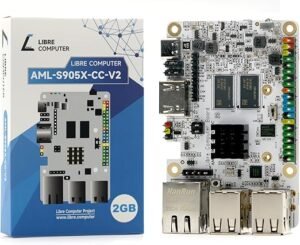
Think of the “Le Potato” board as a supercharged version of the Raspberry Pi. It maintains the small, hacker-friendly form factor but comes with key upgrades. It uses faster eMMC storage (a huge reliability boost over SD cards), supports 4K video, and is known for its excellent Linux support, making it a favourite among tinkerers and developers.
Best for: The hobbyist who loves the Raspberry Pi ecosystem but wants a faster, more reliable board for demanding DIY projects without moving to a full Mini PC.
2. The Compact Powerhouse: Beelink Mini PC
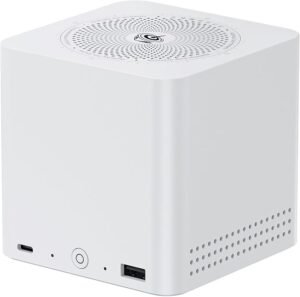
Why settle for a board when you can have a full-fledged computer? A Mini PC like the Beelink N100 is a complete, ready-to-go system in a tiny box. It comes with a case, RAM, and a super-fast NVMe SSD pre-installed. It runs standard computer operating systems (like Linux or Windows) and provides a massive performance leap over any SBC.
Best for: The user who wants a simple, plug-and-play solution that “just works” and offers the power of a desktop computer in a tiny, energy-efficient package.
3. The Storage Specialist: A Synology NAS
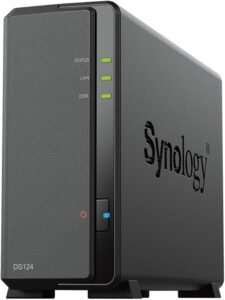
If your main goal is building a reliable raspberry pi alternative for a home server focused on file storage, backups, and media streaming (like Plex), a Network Attached Storage (NAS) device is your best bet. A Synology NAS is an incredibly easy-to-use appliance designed specifically for storing and serving data 24/7. Many models can also run Home Assistant in a container.
This for: The user whose primary need is a reliable, easy-to-manage file and media server, with smart home capabilities as a bonus.
🏆 Our #1 Pick: The Ultimate Upgrade – Hostinger VPS

What if you can have all the power you need without any physical hardware to manage? A Virtual Private Server (VPS) is your own private server in a professional data centre. It offers the ultimate in reliability, power, and flexibility.
After testing multiple providers, we recommend Hostinger VPS as the clear winner for home lab enthusiasts. It offers an unbeatable combination of price and performance, with a control panel that is incredibly easy to use. You can deploy a new server running your favourite Linux distribution in under a minute.
- Unbeatable Reliability: No more worrying about power outages or SD card failures at home.
- Blazing-Fast Performance: Get enterprise-grade speed for a fraction of the cost.
- Global Access: Securely manage your smart home from anywhere in the world.
That for: The user who wants the absolute best performance and reliability, and is ready to move their home lab to a professional, “set it and forget it” environment.
Conclusion: Which Alternative is Right For You?
The best rpi4 alternative depends on your specific needs. If you love tinkering with hardware, a Libre Board or Mini PC is a fantastic choice. If your focus is on storage, a NAS is unbeatable. But if you’re looking for the ultimate combination of power, reliability, and ease of use, moving to a Hostinger VPS is the definitive upgrade for any serious home lab enthusiast.
Still getting started? See our beginner’s guide to setting up Home Assistant on a Raspberry Pi first.
Frequently Asked Questions
Is a Raspberry Pi 4 still enough for Home Assistant in 2026?
Yes for most homes with dozens of devices. Move to a Pi 5, mini PC or VPS if you run heavy add-ons, multiple cameras, or want SSD reliability.
Do I need an SSD with a Raspberry Pi home server?
Strongly recommended. SD cards fail under constant writes. Boot from USB SSD for speed and longevity.
When should I use a VPS instead of a Pi?
When uptime matters more than local control, or when you outgrow Pi RAM for NVR, databases and multiple services.
Can a Pi run Zigbee and Z-Wave?
Yes with USB coordinators. Place dongles on short USB extensions away from Pi USB3 noise and Wi-Fi adapters.
How much does smart home gear cost over five years?
Sticker price is only part of the story. Hubs, repeaters, replacement batteries, cloud subscriptions and electrician call-outs can add up quickly on Australian 240 V installs. We compare total ownership cost in our reviews and link to primary references such as the Home Assistant documentation and the Matter specification when protocol compatibility matters. Budget for at least one spare sensor or switch when you standardise on a hub — mixed-vendor kits often need extra repeaters.
Cross-check compatibility, safety and local rules with official sources before you buy. Australian 240 V wiring, RCM labelling and hub protocols change with firmware updates, so confirm details against manufacturer docs and a licensed electrician when mains power is involved.
Which protocol should you standardise on?
Wi-Fi devices are easy to buy but noisy on your network. Zigbee and Thread/Matter devices usually need a compatible hub or border router, yet they tend to behave better when the internet drops. Before you bulk-buy sensors or switches, decide whether Modern Home Tech readers should prioritise local control, Apple Home, Google Home or Home Assistant — then pick products that match that path instead of mixing three ecosystems by accident. Thread border routers in Australia must still meet RCM requirements for radio equipment.
Which smart home news topics matter most for owners?
Protocol changes, security advisories and tariff updates affect real households more than launch-day hype. We prioritise Matter and Thread compatibility notes, recall notices, and energy price shifts that change whether automations still save money. Firmware regressions that break local control also rank above minor app redesigns — those are the updates worth reading before you buy more gear.
Cross-check compatibility, safety and local rules with official sources before you buy. Australian 240 V wiring, RCM labelling and hub protocols change with firmware updates, so confirm details against manufacturer docs and a licensed electrician when mains power is involved.


